Antigravity rolls out Remote Control for cross-device sessions
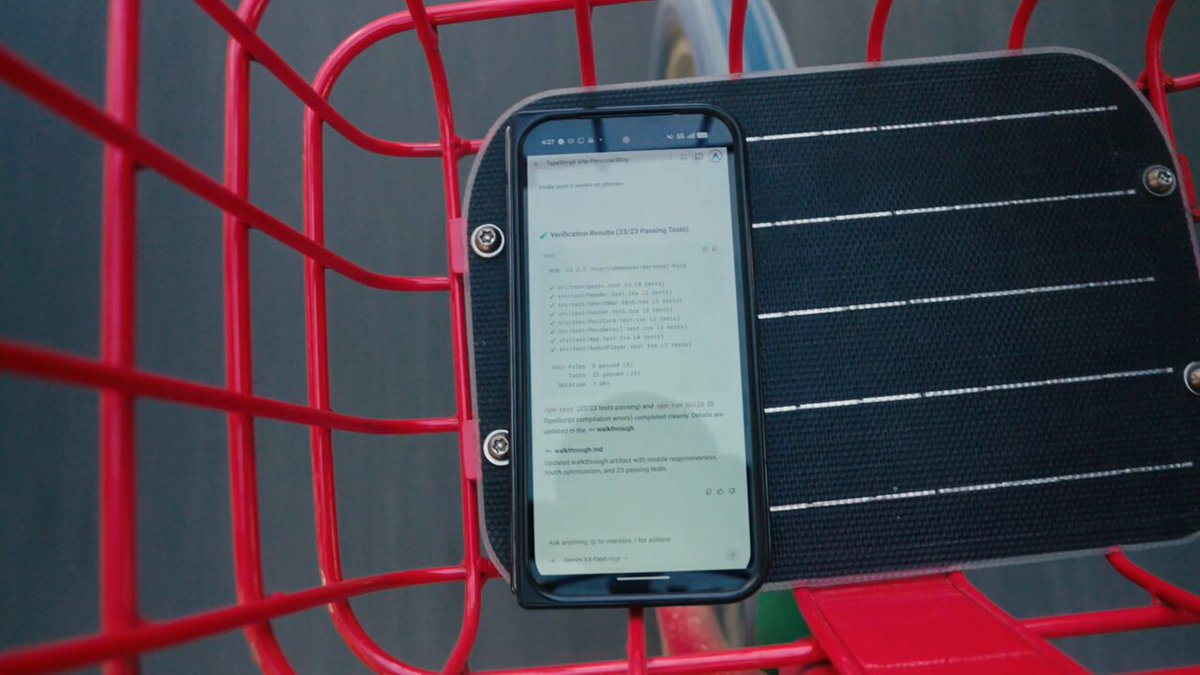
Antigravity has launched Remote Control, a feature that lets users access active sessions from other devices without restarting work on the original machine. According to the company's announcement, access works through any modern supported browser and on mobile devices across iOS and Android, so users can begin a task on one system and continue from a phone or another device after turning the capability on in app settings. The rollout starts today for all users, with Ultra subscribers receiving access first before broader availability completes. The change matters because it frames Antigravity work as a portable session rather than something tied to a single desktop install. Staged deployment may leave some accounts waiting briefly, and public messaging highlights browser and mobile reach instead of announcing a dedicated native mobile application.
Antigravity rolls out Remote Control for cross-device sessions
Antigravity announced Remote Control, letting users access active sessions from any modern supported browser or mobile device on iOS and Android. Rolling out to all users starting today, beginning with Ultra subscribers.
Key takeaway
Antigravity Remote Control makes active sessions portable across browsers and mobile devices, with Ultra subscribers first in today's rollout.
What happened
Antigravity announced Remote Control, a capability that lets users access active sessions from any modern supported browser or mobile device on iOS and Android.
The company said the feature is rolling out to all users starting today, beginning with Ultra subscribers before wider availability.
Evidence
Antigravity announced Remote Control for cross-device access to active sessions.
X · attributed
Antigravity announced Remote Control, letting users access active sessions from any modern supported browser or mobile device on iOS and Android.
Rollout begins today and starts with Ultra subscribers.
X · attributed
Rolling out to all users starting today, beginning with Ultra subscribers.
Users can continue work from another device after starting on a computer.
X · attributed
Kick off work on your computer and continue working with your agents from your phone or another device.
Why it matters
Cross-device session continuity reduces friction for users who split work between desktop and mobile surfaces.
Limits and uncertainties
Rollout sequencing may delay access for non-Ultra accounts until broader availability completes.
Public commentary notes there is no Antigravity mobile app in place, suggesting browser-based mobile access.
Practical implications
Turn on Remote Control in app settings before attempting to resume an active session from another device.
Plan workflows around browser and mobile access on iOS and Android rather than assuming a native mobile app.
What to watch
Whether Remote Control reaches non-Ultra users after the initial Ultra-first rollout.
How session handoff behaves across browsers and mobile devices in real use.
Original reporting: Remote Control is here!
Take Antigravity with you anywhere. Access your active sessions from any modern supported browser or mobile device across iOS and Android. Rolling out to a